Dwarf Fortress File Depot » Utilities » Entity Symbol Gatherer (DFHack script)
| File Listing: Entity Symbol Gatherer (DFHack script) | ||||||||||||||||||||||||
|
Last Updated: Nov 03, 2026, 08:55:21 am
Author: >Favozza
 Download Now |
||||||||||||||||||||||||
Description
For years, I have struggled to find the symbols of civilizations. The usual way was to create a character in Adventure(r) Mode and travel around large towns and fortresses, looking for armor pieces with the civilization's symbol embedded in them. This was time-consuming, not always successful, and had to be repeated for every civilization. But no more! With this script, you can dump all the Entity symbols from your loaded world in a matter of seconds. The script generates a searchable HTML report containing:
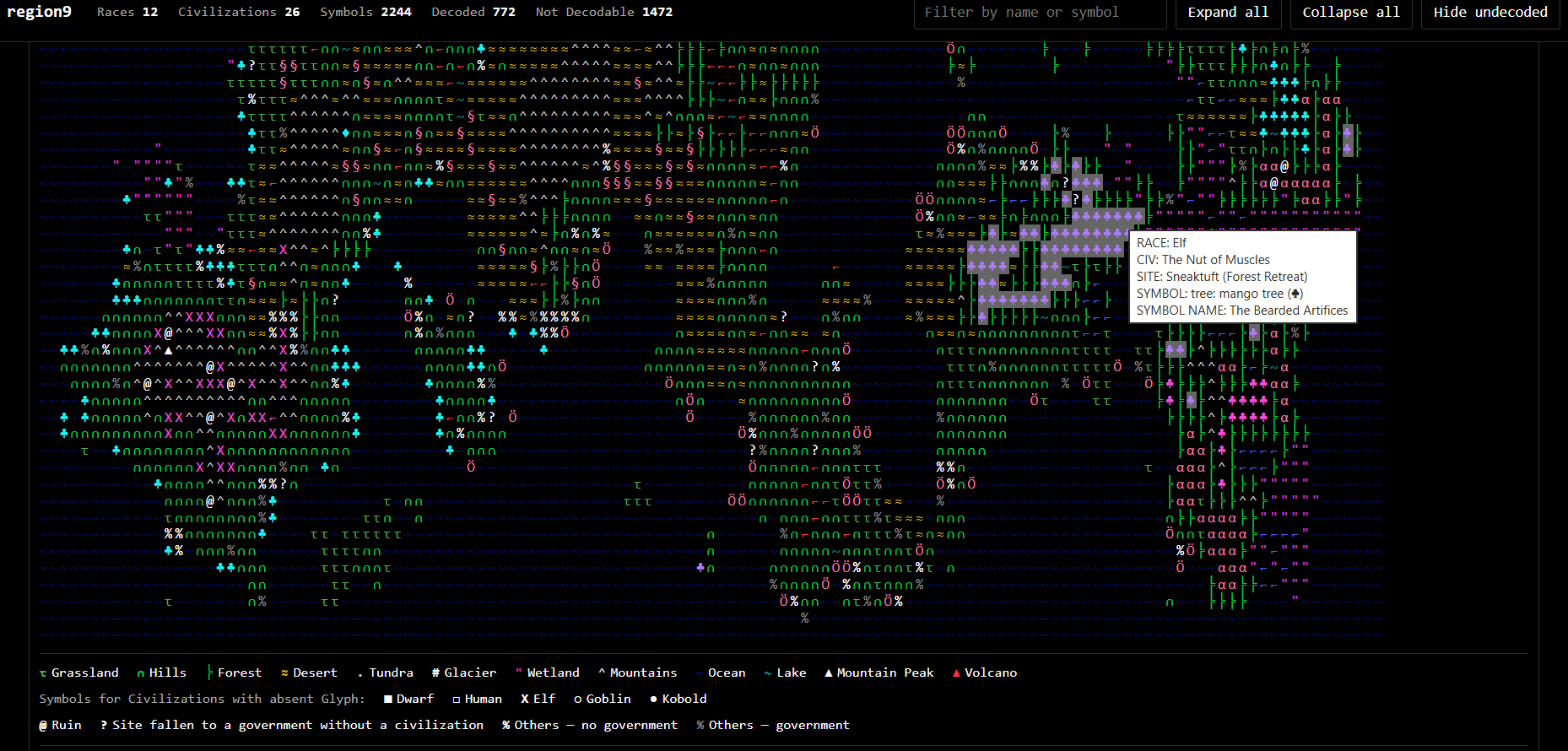
A Summary with all the civilizations and their symbols: 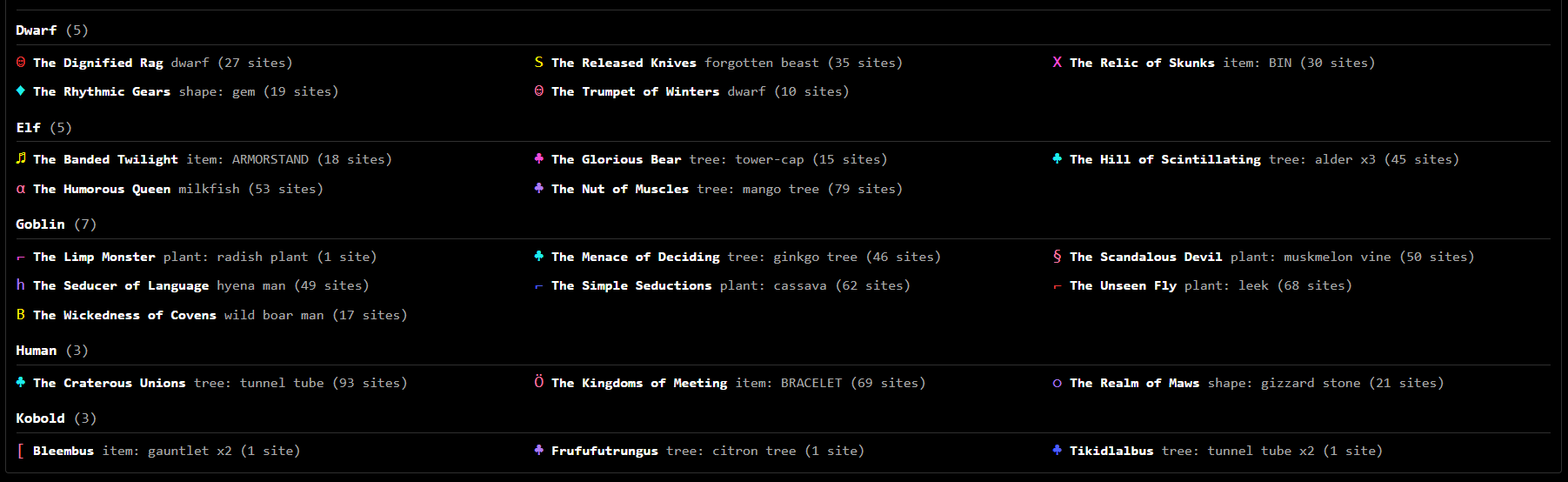
And a list with all the sub-entities: 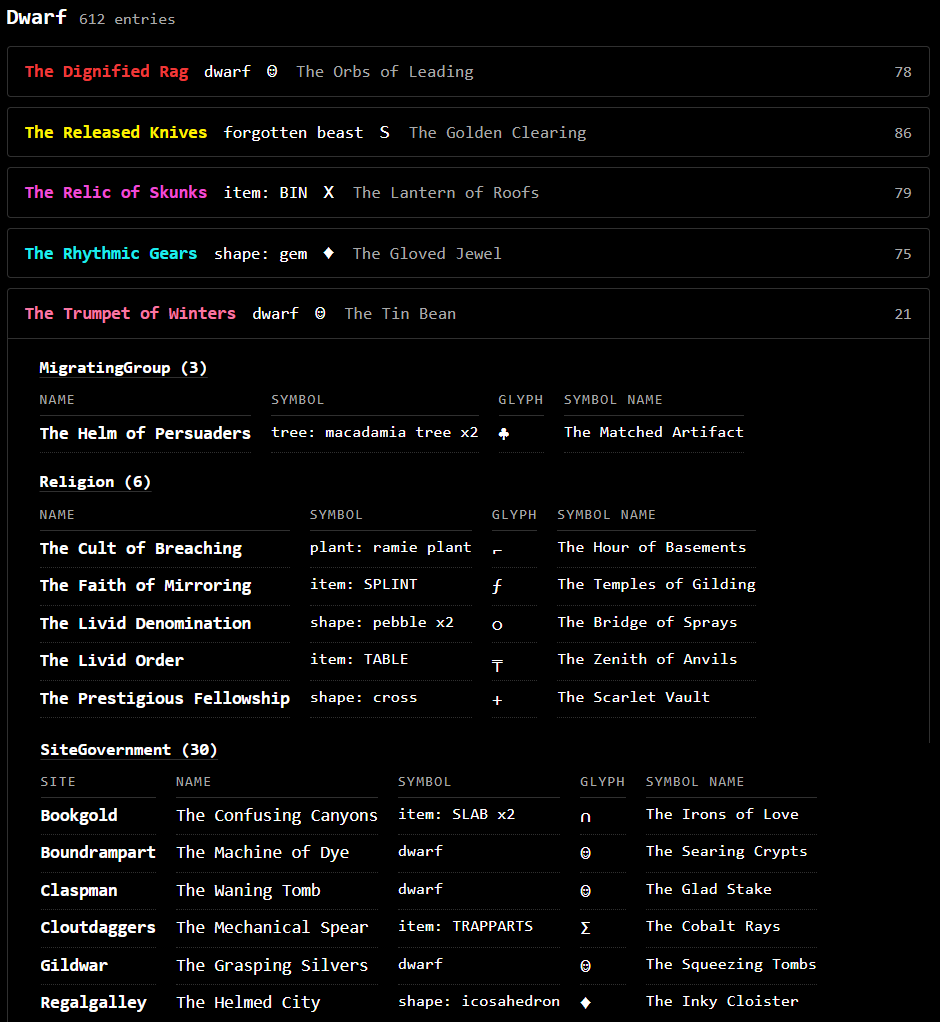
Installation Download the zipped lua script from here and place it inside your \dfhack-config\scripts folder. The script is compatible with Dwarf Fortress v50.01 and newer and requires DFHack. How to use it 1. Embark in your world, preferably somewhere with exposed rock. 2. Smooth a wall or floor tile. 3. Pause the game. 4. Engrave the smoothed tile. 5. Click on the tile and go to Specify Image -> Existing Image. 6. Click on DFHack. 7. Run the script with the command ent_sym_gat. 8. Repeat the process with another civilization, preferably after choosing a different race using embark-anyone. The slightly convoluted procedure is intentional: Dwarf Fortress doesn't load the relevant symbol data into memory until you open the Existing Image window. Here is a visual guide: 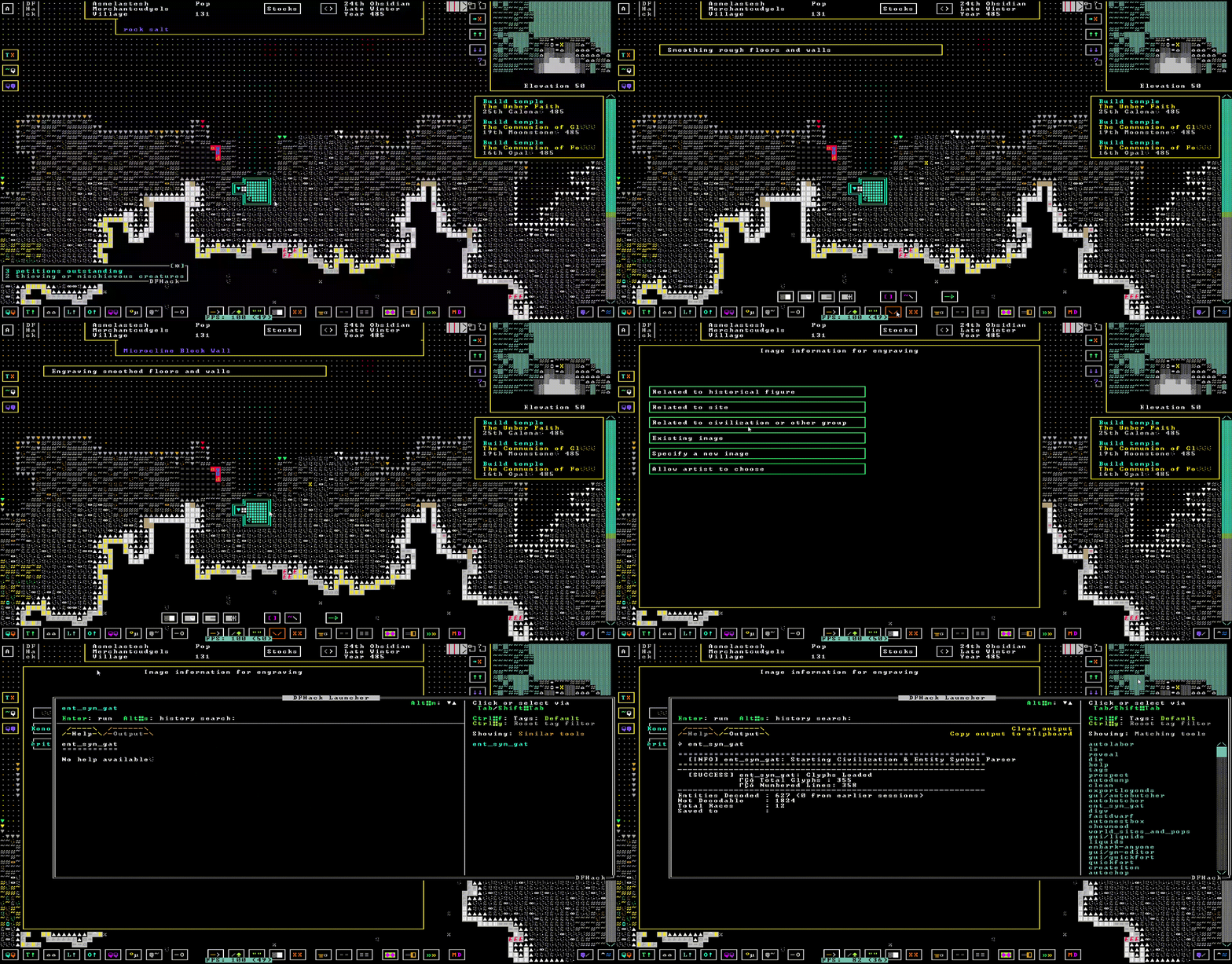
The script will create a file in your Dwarf Fortress folder named civ_symbols_worldname.html. Open it in your browser to explore the symbols found in your world. The report is searchable and includes the civilization/race structure as well as a map showing civilization locations. Any suggestions, bug reports, or improvements are very welcome!  Compatibility: Dwarf Fortress v50.01 and newer. For more information visit the original thread on the forum: https://www.bay12forums.com/smf/index.php?topic=184103.0 or read the github repository README.txt: https://github.com/Favozza/Entity_Symbol_Gatherer Contact me at favthebest@hotmail.it  |
||||||||||||||||||||||||
| Checksum / Hash | ||||||||||||||||||||||||
| SHA-256: 8eae5f08f003ea248fff6bbc70ecb7e79f72b0f460ce019958453543825eec32 | ||||||||||||||||||||||||
IP: logged Commands |
||||||||||||||||||||||||
| More From This Author | ||||||||||||||||||||||||